
Overview
Knudge is a client collaboration platform designed to improve follow-through on financial advice by making action items more visible and accountable. Knudge empowers financial advisors to share tasks, reminders, and follow-ups with clients in a clean, collaborative interface.
The Knudge + Wealthbox integration streamlines your task workflows by syncing contacts between the two platforms, helping advisors more efficiently assign and track actionable items within their CRM.
Key Features
The integration between Knudge and Wealthbox provides visibility and collaboration tools that extend your CRM's tasking abilities to your clients. Key capabilities include:
Easily sync Wealthbox contacts into Knudge with just a few clicks.
Create collaborative nudges (shared tasks) for clients directly from synced contact profiles.
Track client completion and engagement on assigned nudges over time.
View and manage shared tasks via the Knudge dashboard.
Bi-directional sync ensures that client updates remain consistent across both platforms.
👉 Knudge also supports Send-To functionality. Learn more: What Integrations Offer Send-To Functionality
👉 See the Wealthbox + Knudge Integration Webinar here
How to Enable the Integration
Step-by-Step Setup
Log into your Knudge account
Go to https://app.knudge.com
Access Integration Settings
Click your profile in the top-right corner and select Settings
Navigate to the Integrations tab
Connect to Wealthbox
Select Wealthbox and click Connect
You’ll be redirected to Wealthbox to authorize access via OAuth
Authorize Knudge
Choose your Wealthbox workspace and approve the connection
Start Syncing Contacts
Once connected, import Wealthbox contacts into Knudge
You can choose to sync individual or all contacts
Assign Nudges
From Knudge, select a synced contact to create a shared task or reminder
How Does the Knudge Integration Work?
The integration enables seamless data sharing between Wealthbox and Knudge for improved task assignment, visibility, and accountability.
Data Flow and Behavior
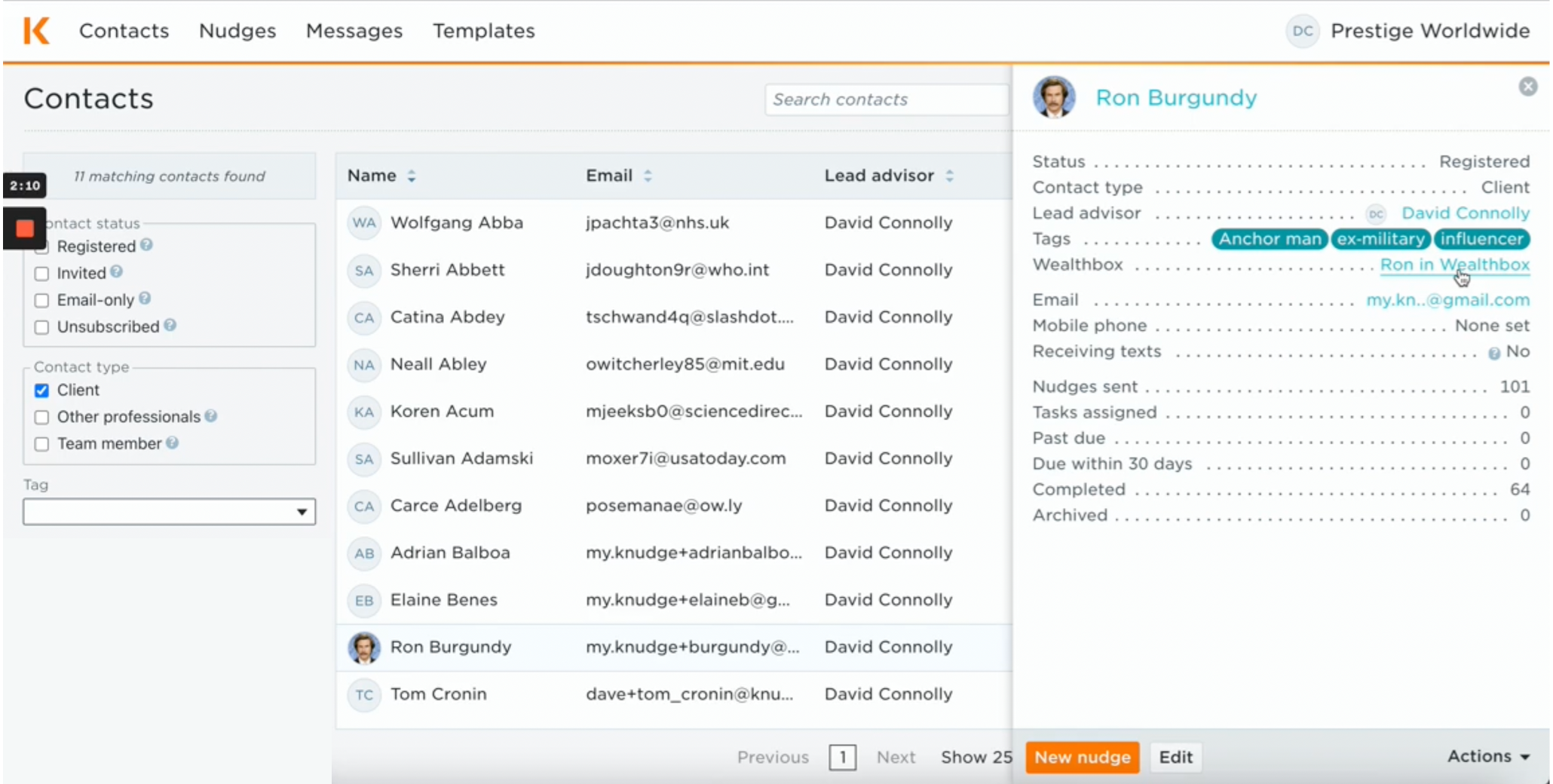
Contact Syncing: Wealthbox contacts are pulled into Knudge, where nudges can be created and assigned.
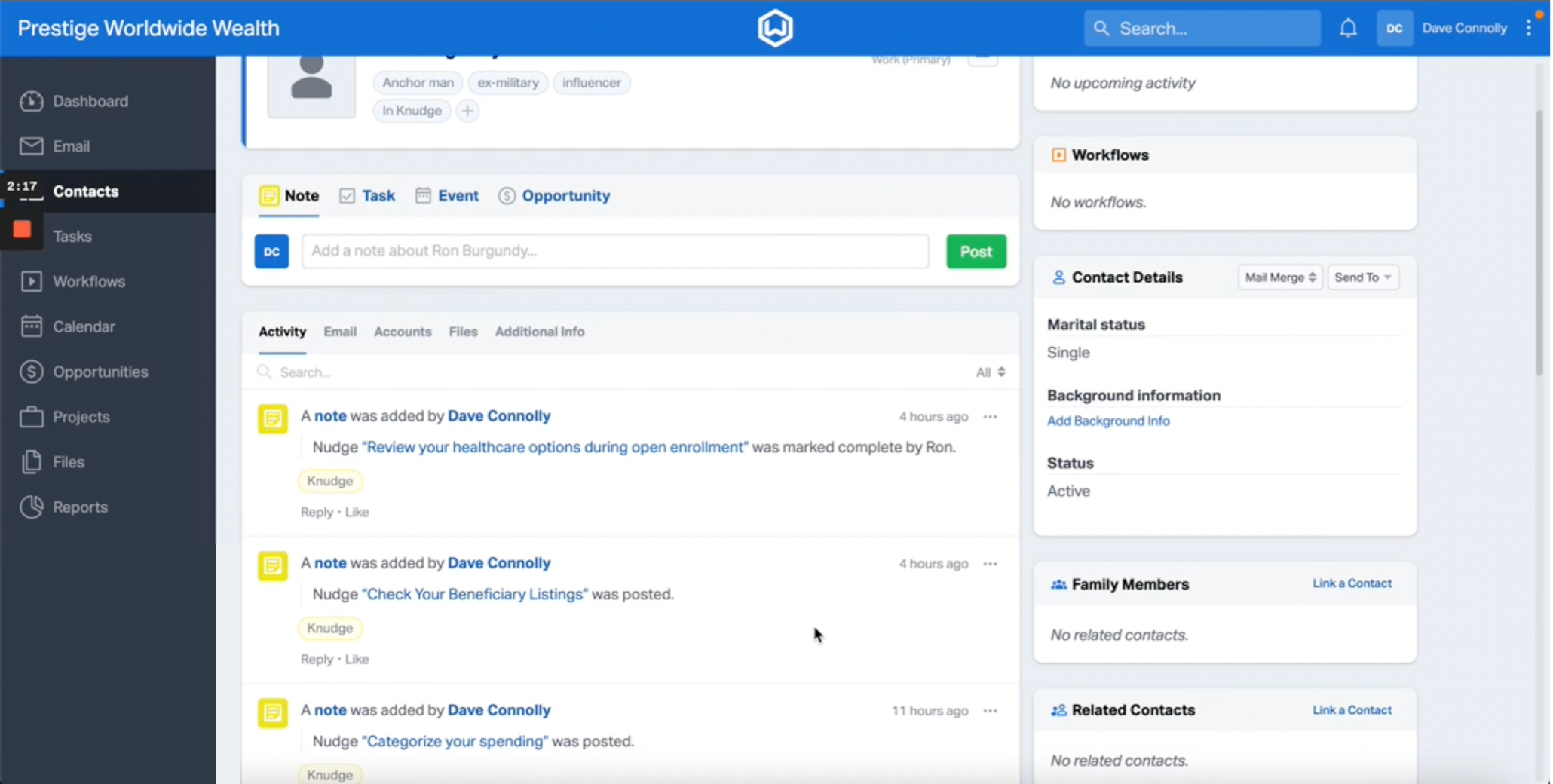
Task Collaboration: Tasks created in Knudge appear on your Knudge dashboard and are visible to clients.
Send-To: Users can initiate actions from Wealthbox using Send-To menus if enabled.
Contact Matching Criteria
Matching is based on email address or name fields between platforms.
Updates in Wealthbox will reflect in Knudge during resync.
Data Refresh Schedule
Syncing is typically manual or on-demand through the Knudge UI.
Automatic background sync may be available depending on configuration.
Troubleshooting & FAQs
Why aren’t my contacts appearing in Knudge?
Ensure you’ve completed the connection steps and granted OAuth access.
Check that the contacts you want to sync are properly formatted (e.g., valid email address) in Wealthbox.
How do I disconnect Knudge from Wealthbox?
In Knudge, go to Settings > Integrations > Wealthbox
Click Disconnect Integration
Why are nudges not syncing back to Wealthbox?
The integration is primarily contact-based; action items remain in Knudge for client collaboration.
Use Wealthbox’s Send-To feature to manually reference client activity if needed.
Can I resync specific contacts only?
Yes, Knudge allows selective syncing of individual Wealthbox contacts during the import process.