
Overview
CurrentClient is a modern client engagement app for financial advisors. The app enables advisors to text, call, survey, and share videos all within one platform. The integration with Wealthbox automatically syncs client data from Wealthbox to the CurrentClient app. As communication activity occurs in CurrentClient, it will be pushed back to the client’s record in Wealthbox.
🔗 Click Here To Watch a Webinar on the Integration between CurrentClient and Wealthbox
Key Features
- Automatic Contact Sync: Wealthbox contacts are automatically synced to the CurrentClient platform, ensuring your client list is always up to date.
- Activity History in Wealthbox: All communication activities—texts, calls, surveys, and videos—are logged as notes in the corresponding Wealthbox contact record for a complete interaction history.
-
Contact Roles & Segmentation: Bring over contact roles to Wealthbox from CurrentClient via a Custom Field to better segment and organize your outreach.
- Inactive Contact Sync: Optionally include inactive Wealthbox contacts when syncing your client data.
-
Task URL Linking: When you create a task in CurrentClient, you can automatically attach a direct URL to the related conversation, making it easy to reference and follow up later.
.png)
How to Enable the Integration
The integration is activated directly within CurrentClient. To get started, contact the CurrentClient support team at help@currentclient.com, and they’ll guide you through the setup process.
How Does the CurrentClient Integration Work?
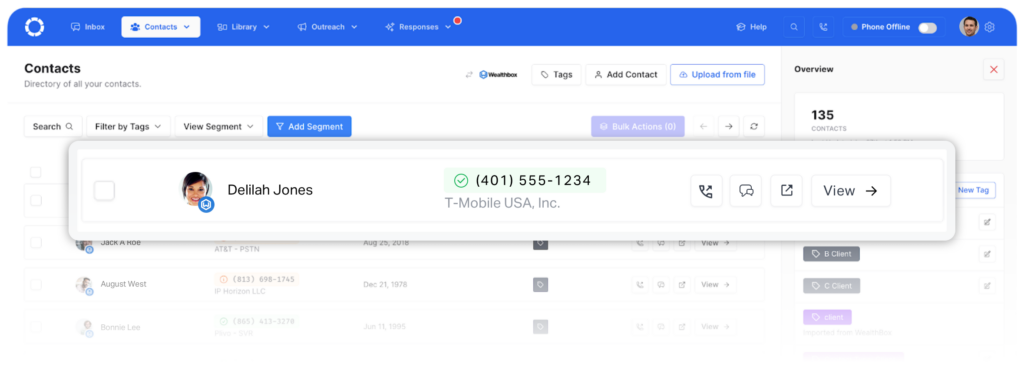
Once an advisor enables the integration, Wealthbox contacts will automatically sync with the CurrentClient platform.
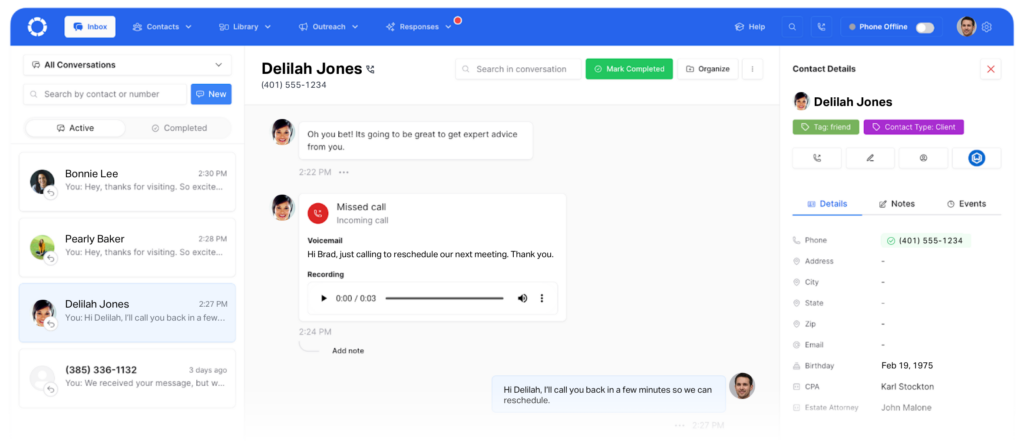
From there, advisors can easily connect with their clients using the text and call features directly from the “Inbox” view in CurrentClient.
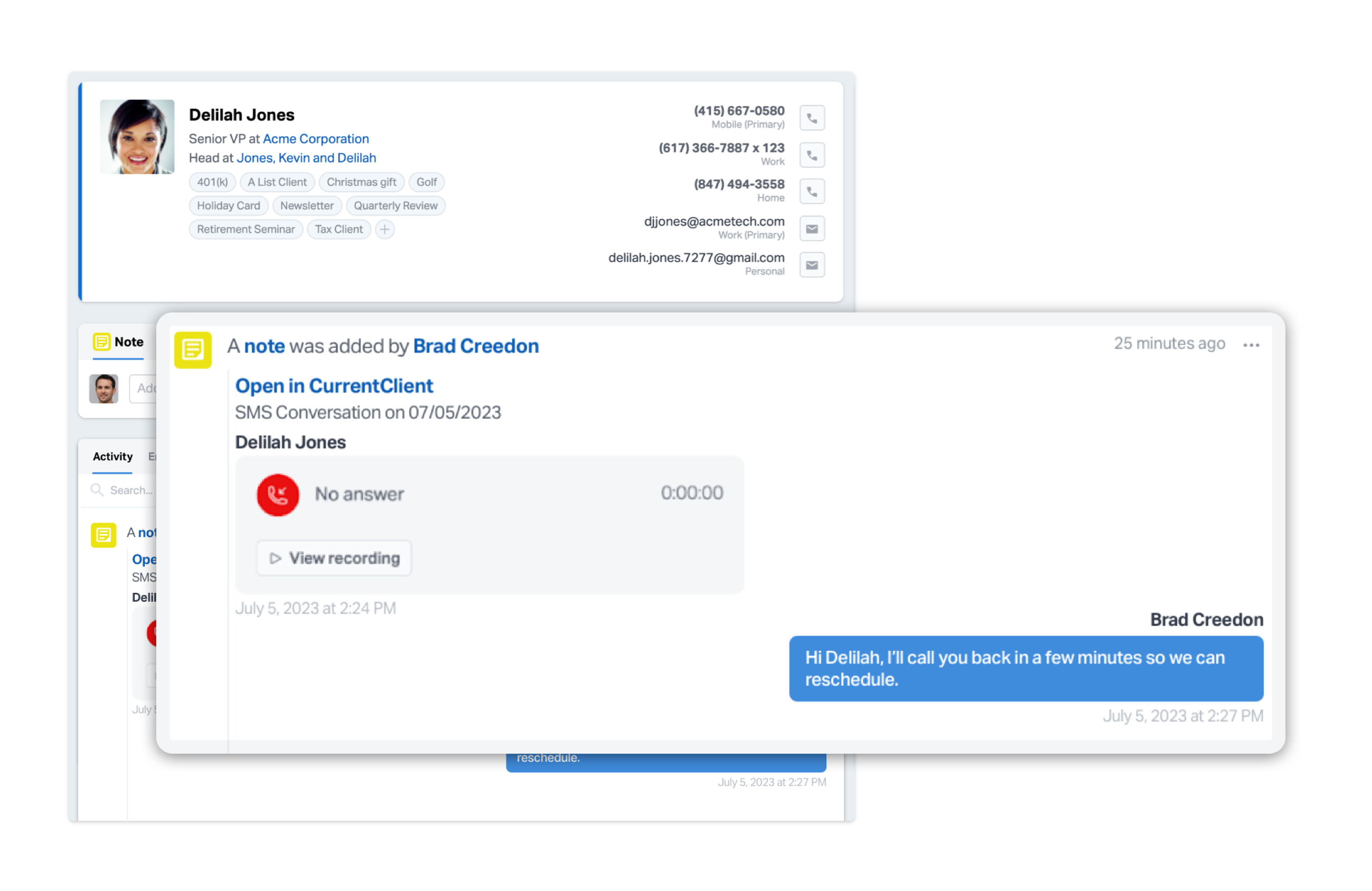
When client communication is complete, CurrentClient will send a note back to the Wealthbox Contact Record with the activity history.
Troubleshooting & FAQs
Q: Can I filter out CurrentContact messages on our activity feed?
A: There's no way to specifically filter messages from CurrentClient on your activity stream. You must delete the activity or filter by one activity type at a time. We suggest contacting CurrentClient to see if they can stop syncing to Wealthbox for notifications.
Q: What happens when I communicate with a client in CurrentClient?
A: After you text, call, or interact with a client in CurrentClient, a note is automatically created in the client’s Wealthbox contact record summarizing the activity, so you always have a complete communication history.
Q: Can I control which contacts are synced from Wealthbox to CurrentClient?
A: Yes, CurrentClient allows you to bring over contact roles for better segmentation and even include inactive contacts if you choose, giving you full control over which contacts appear in the platform.