
Overview
RightCapital provides robust financial planning software that helps advisors make the planning process easier and more personalized for their clients. The integration with Wealthbox allows advisors to streamline workflows between their CRM and financial planning tools seamlessly, improving efficiency and visibility by syncing household contact information to RightCapital. With single sign-on, users can quickly open RightCapital from Wealthbox and transfer client contact details with one click—eliminating manual data entry and ensuring client records stay updated.
🔗 Click Here to Watch Best Practices for Streamlining Your Tech Stack and Improving Productivity with RightCapital + Wealthbox
Key Features
-
Automatic Sync of Notes & Tasks: Notes and tasks created in RightCapital automatically sync to the corresponding Wealthbox contact record, giving advisors a real-time, unified view of client activity. For each member of a given household, it will sync their name and date of birth.
-
One-Click Contact Transfer from Wealthbox: Easily send household contact data from Wealthbox to RightCapital using the "Send To" menu—no manual data entry needed.
-
Single Sign-On Access: Seamlessly launch Wealthbox from within RightCapital using built-in single sign-on (SSO) capabilities for smoother workflow transitions.
-
Real-Time Visibility for Teams: RightCapital updates display instantly in Wealthbox, allowing teams to collaborate effectively and stay organized across platforms.
How to Enable the Integration
-
Log in to RightCapital and navigate to Integrations > Wealthbox.
-
Click the "Connect" button, and then enter your Wealthbox login credentials to continue.
-
Complete the connection by clicking "Yes, I authorize this request."
-
You should be returned to RightCapital, and the integration should now be complete!
How to Use the Integration
To import a contact from Wealthbox, it must be set up as part of a household and have a valid date of birth. The household must also have a "Head of Household" assigned. Individuals who are not part of a household cannot currently be synced.
-
Log in to Wealthbox, and click “Contacts” in the left-hand menu
-
Select a contact to be synced to RightCapital to view their contact record page.
-
Click on “Send to” in the Contact Details box on the right-hand side, and select RightCapital

- You will be brought back to RightCapital, and you should see a message that the import has been completed:

- In RightCapital, click "Go to Clients" to see the contact and associated household information in the Client list (or navigate to it yourself by clicking “Clients” in the top navigation of your Advisor Portal).
-
There is also a single sign-on available from RightCapital to Wealthbox. Once logged into RightCapital, just click on the single sign-on icon at the top of the screen to launch Wealthbox.

How Does the RightCapital Integration Work?
Once connected, the integration allows advisors to send household contact information from Wealthbox to RightCapital with a single click. This eliminates manual entry and ensures records remain consistent across platforms.
The integration also enables a one-way sync of notes and tasks created in RightCapital into Wealthbox. These updates appear directly in the Wealthbox contact record, providing a centralized view of ongoing planning activity. It's important to note that the sync is one-way from RightCapital to Wealthbox, not the other way around, and only applies to notes and tasks created after April 15, 2025. Items created before that date will not be imported retroactively.
To use the sync, Wealthbox contacts must be part of a household with a valid date of birth and a designated "Head of Household." Contacts not set up as part of a household won’t be eligible for syncing.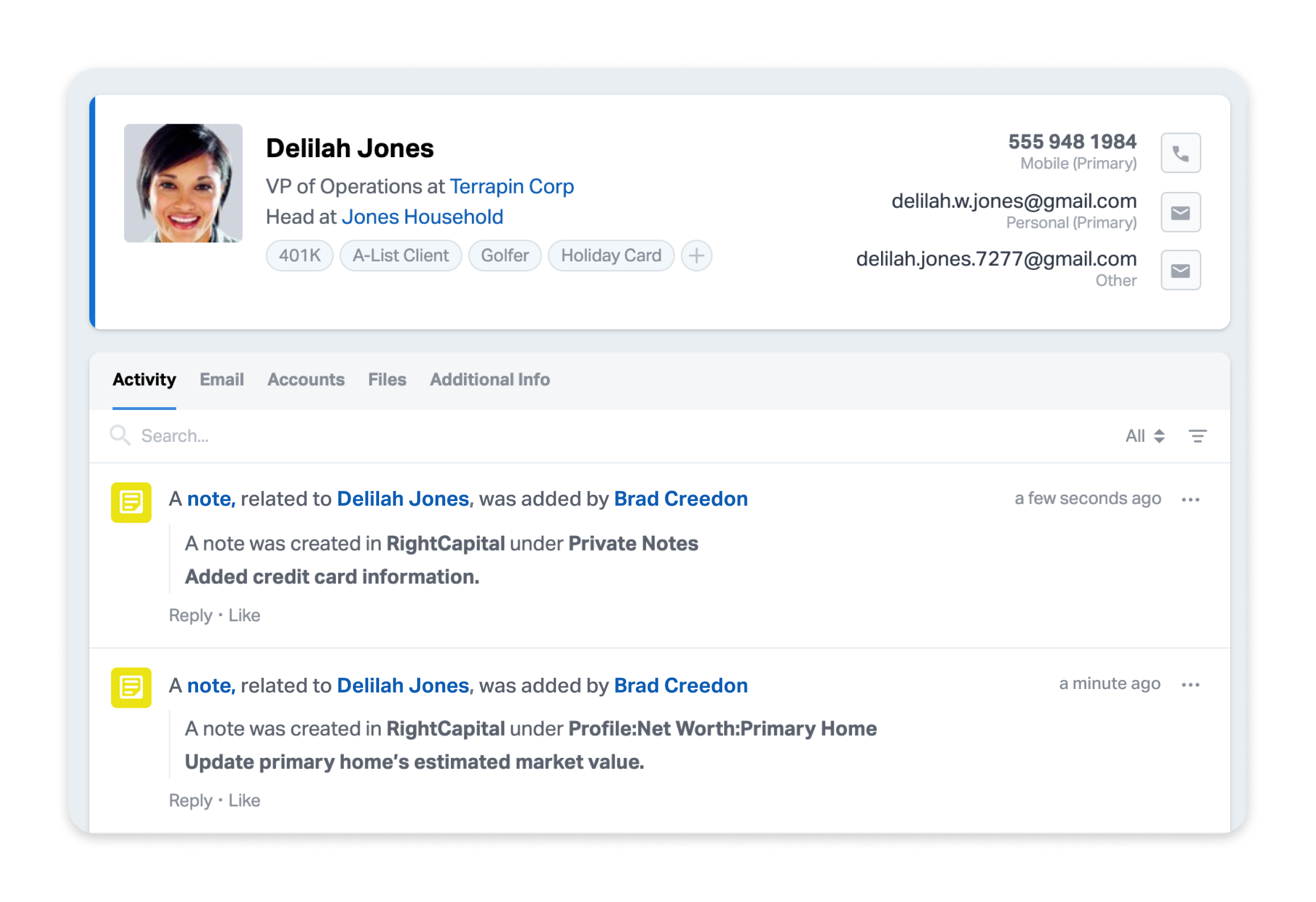
Troubleshooting & FAQs
Q: Will my existing notes and tasks in RightCapital sync to Wealthbox?
A: Only notes and tasks created in RightCapital after April 15, 2025, will sync to Wealthbox. Items created before that date won’t be imported retroactively.
Q: Can I sync contacts that aren't part of a household?
A: No. Only contacts in Wealthbox that are part of a household—with a valid date of birth and a designated Head of Household—can be imported into RightCapital.
Q: Does the sync work both ways?
A: The sync is one-way only—from RightCapital to Wealthbox. Any updates made in Wealthbox will not be reflected in RightCapital.
Q: Why are my notes or tasks not syncing?
A: Please check that your contacts are set up as part of a household, have a valid date of birth, and have a "Head of Household" assigned.