
Overview
MyRepChat is a top-tier text messaging platform that enables users to communicate with clients via text while staying compliant with regulatory documentation requirements. The integration between MyRepChat and Wealthbox allows you to import your contacts from Wealthbox into MyRepChat and enables MyRepChat to record SMS messages as notes in Wealthbox under your contact records.
To Enable the Integration
- Navigate to Account Settings (gear in the upper-right corner) of MyRepChat and click the Integration tab.
- Using the dropdown menu, select Wealthbox CRM.
- In Wealthbox, navigate to your settings by clicking the three dots in the upper right. Then click API Access from the left menu. Finally, click the green "Create Access Token" button in the upper-right corner.
- Give it a "MyRepChat" label when you create the token.
- Copy the Access Token from Wealthbox and paste it into the "TOKEN" text box in MyRepChat.
- Enable each radio button and click the "Save Settings" button.

Wealthbox search behavior:
Phone searches all phone fields and ignores punctuation.
Phone is a 'contains' search, so a search for the last four digits of a number will match.
Name searches look in either first or last names.
Do not search for both first and last names at once. For example, 'Tom Jones' does not match either a first or last name, so the query will return no results.
Search by group uses Wealthbox's 'tag' feature. Search requires an exact, case-sensitive match of the group name. We will only create a group if there is at least one member.
How Does the MyRepChat Integration Work?
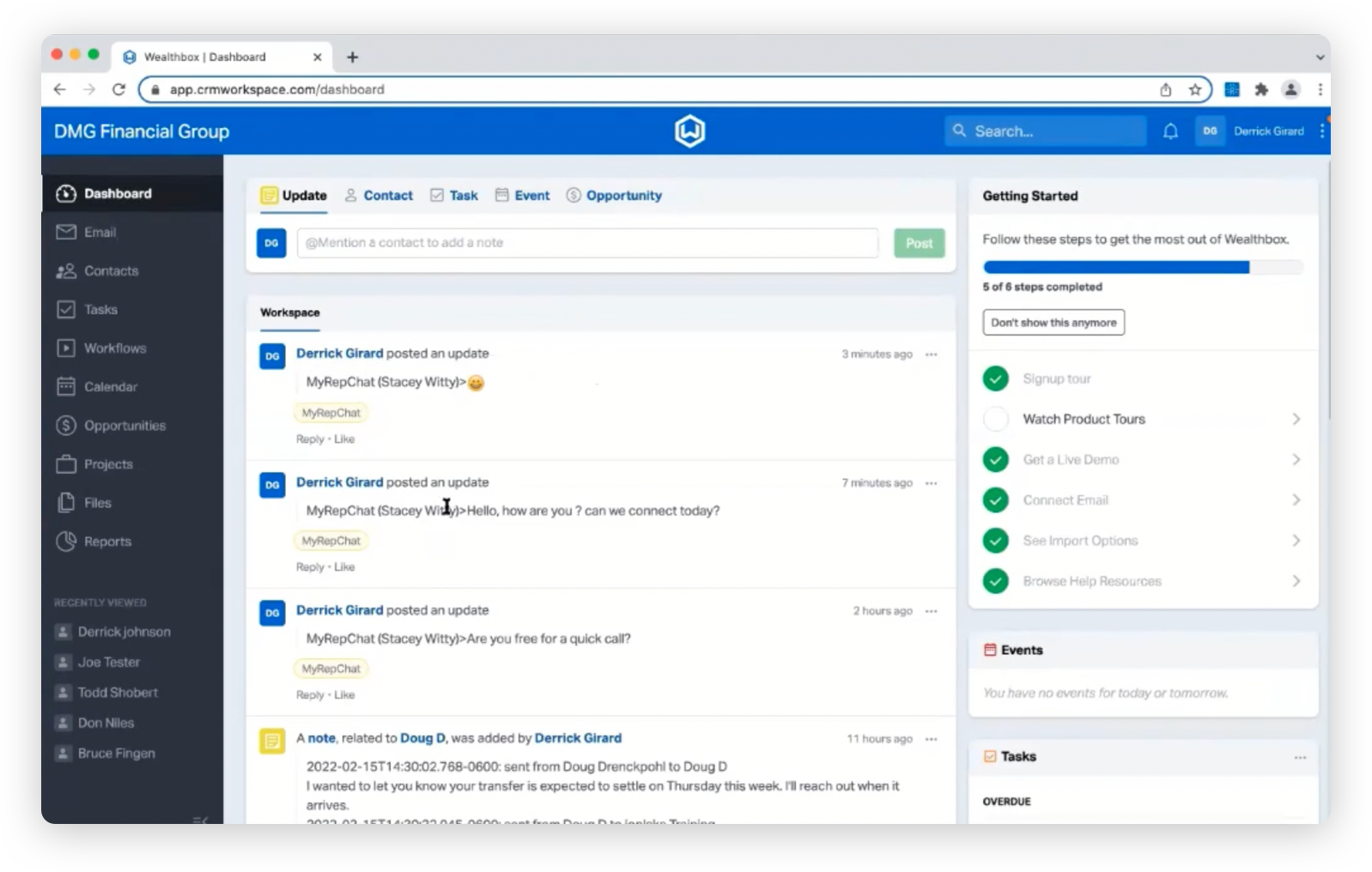
Integrating with MyRepChat enables you to import their contacts into Wealthbox platform and record SMS messages as notes under your Contact Records. All texts are sent via their platform or an app on your mobile device, and the integration logs these messages in our system as notes afterward. 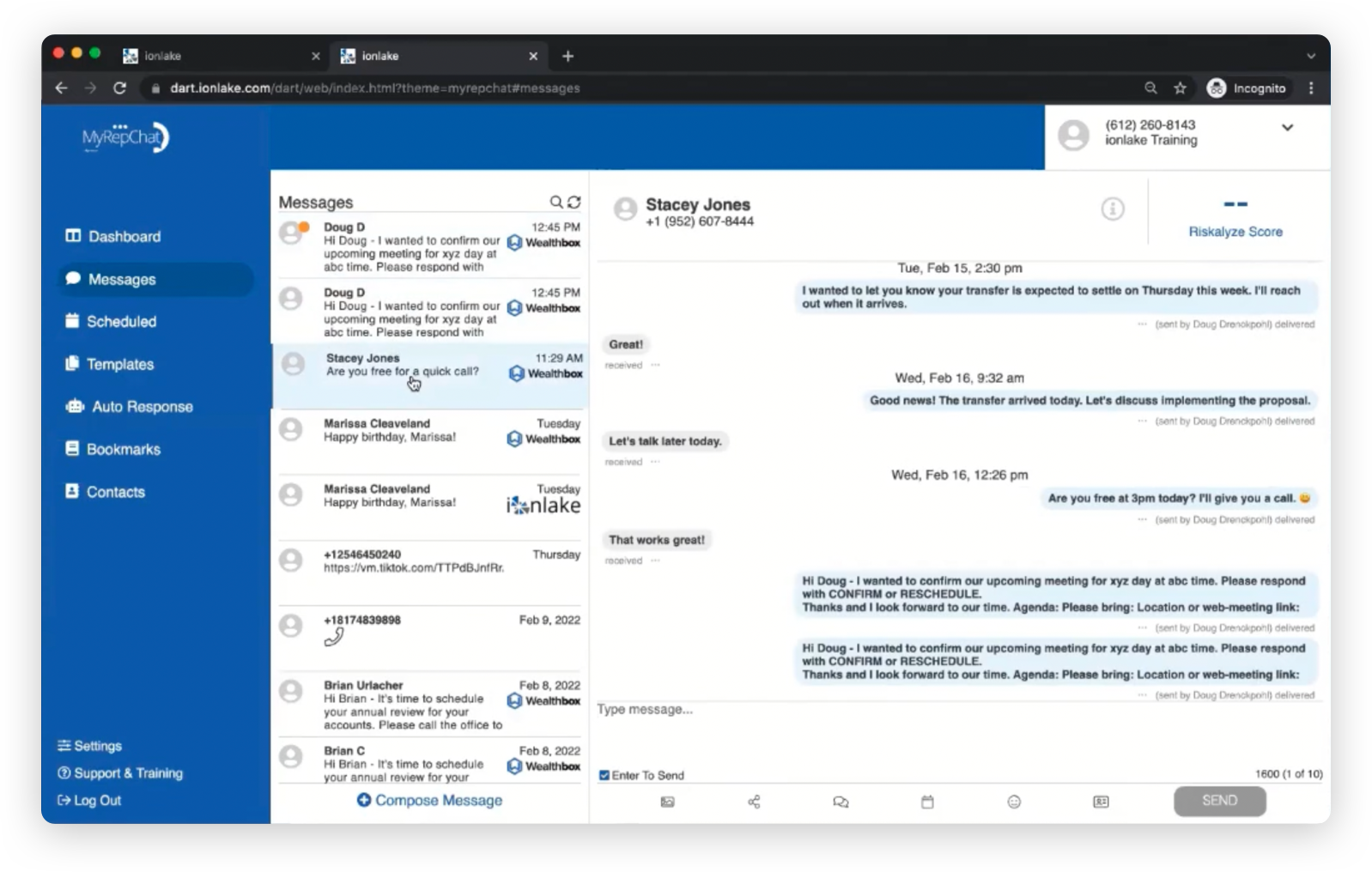
Troubleshooting & FAQs
Q: Does the integration include previous text conversations?
A: No, the integration only pulls in text messages from now on, not any earlier conversations.
Q: How do I make sure the contact is properly linked from MyRepChat to Wealthbox?
A: To verify this in MyRepChat, check that a Wealthbox logo appears to the left of the contact's name. If you haven't done so already, MyRepChat's Support team can assist you with linking your Wealthbox contacts.
Q: What if my text messages aren't appearing as notes?
A: Make sure the contacts are entered correctly in both systems and share the same name and phone number to ensure the information populates correctly.
Q: Will MyRepChat create a Wealthbox group if one doesn’t already exist?
A: MyRepChat will only create a group in Wealthbox if at least one member is assigned to that group during import.