
Overview
Forms Logic is a cloud-based platform for advisors, broker-dealers, RIAs, and alternative providers seeking to streamline paperwork by integrating single data entry across multiple forms. With the Forms Logic integration, advisors can use client data from their Wealthbox account to prefill available forms and workflows, automating their new account setup and maintenance processes.
🔗 Click Here to Watch How Advisors Use Wealthbox + Forms Logic to Simplify Their Meeting Processes
Key Features
-
Prefill Forms Automatically: Use client data from Wealthbox to prefill forms and workflows in Forms Logic, reducing manual entry and errors in new account and maintenance processes.
-
Two-Way Data Consistency: Updates to client records in Wealthbox are automatically reflected in Forms Logic, ensuring your forms always use the most current information.
-
Easy Client Search: Search your Wealthbox contacts directly from Forms Logic to quickly find clients and create workflow requests.
-
Streamlined Workflow Creation: Launch new workflows directly from the Forms Logic interface using prefilled client data from Wealthbox.
-
Simple, Secure Authentication: Connect your Wealthbox account with a guided, secure authentication process right from Forms Logic.
How to Enable the Integration
- From your Client Profile page, select CRM Configuration > CRM Credentials
- CRM Type: Select Wealthbox CRM
- Click Save

- Click Authenticate on Wealthbox (You will see a red “Not Authenticated” message on first setup)

- A new window will open to the Wealthbox Log-in page.
- Enter your existing Wealthbox username and password.
- Click "Log in to Wealthbox."

- Click "Authorize."

- Upon authorization, you will get a successful authentication message.
- Close this window.

- The CRM Credentials screen will now be updated to acknowledge a successful integration.
- To confirm the connection, click "Test Connection", and you should get a connection successful message.

How to Use the Wealthbox + FormsLogic Integration
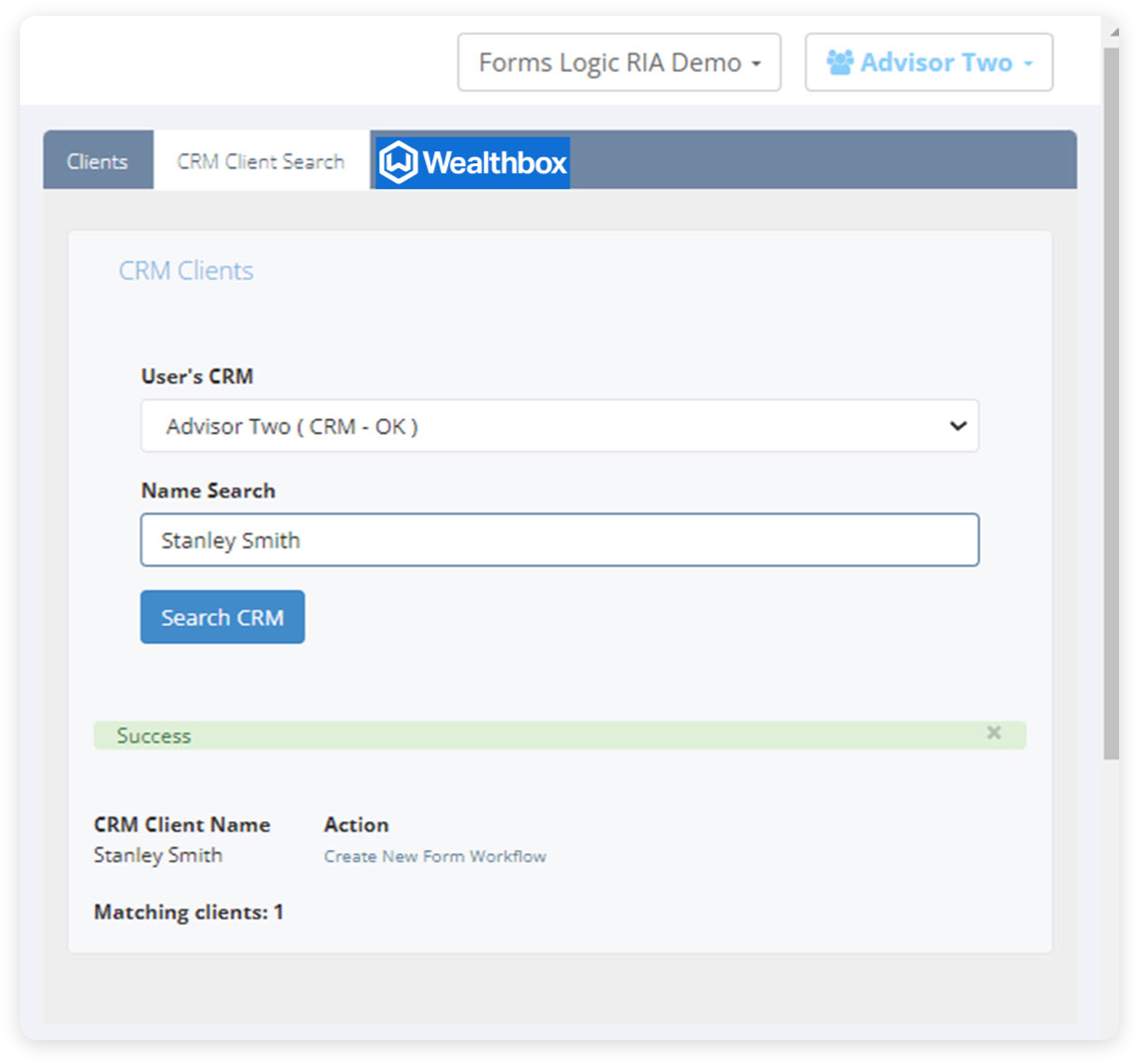
From the Client section in Forms Logic, select the CRM Client Search Tab.

Option 1: Select Search CRM. FL will search for the entire client set available in Wealthbox.
From there, you can create a new workflow request.

Option 2: Type the client’s name in the Name Search box and select Search CRM.
If available, the specific client will appear. From there, you can create a new workflow request.

How Does the FormsLogic Integration Work?
Once the integration is activated, advisors can automatically populate client details from Wealthbox into Forms Logic, reducing manual input and cutting down on errors. This efficient process guarantees that all required forms and workflows are filled out correctly, saving time. Advisors can conveniently update and manage client information within Wealthbox, with changes automatically reflecting in Forms Logic. Overall, this integration boosts efficiency, enabling advisors to dedicate more time to meaningful client interactions and less to administrative chores.
Troubleshooting & FAQs
Q: What information is shared between Wealthbox and Forms Logic?
A: The integration pulls client data stored in Wealthbox—such as names, contact details, and account information—to prefill forms and workflows in Forms Logic. This reduces manual data entry and helps ensure all paperwork is accurate and up to date.
Q: Does updating client information in Wealthbox update Forms Logic automatically?
A: Yes, any updates you make in Wealthbox are reflected in Forms Logic, ensuring your forms and workflows always have the most up-to-date client information.
Q: How do I use the Forms Logic and Wealthbox integration to prefill forms?
A: In Forms Logic, go to the Client section and open the CRM Client Search tab. Click Search CRM to view the full client list or use the Name Search box for a specific client. Select the client and create a workflow request; client data will automatically prefill the forms for you.